
Telegrasp
Research
A/B Testing
Tooling
Remote Users
Continuous maintainence
Time Saving
Summary
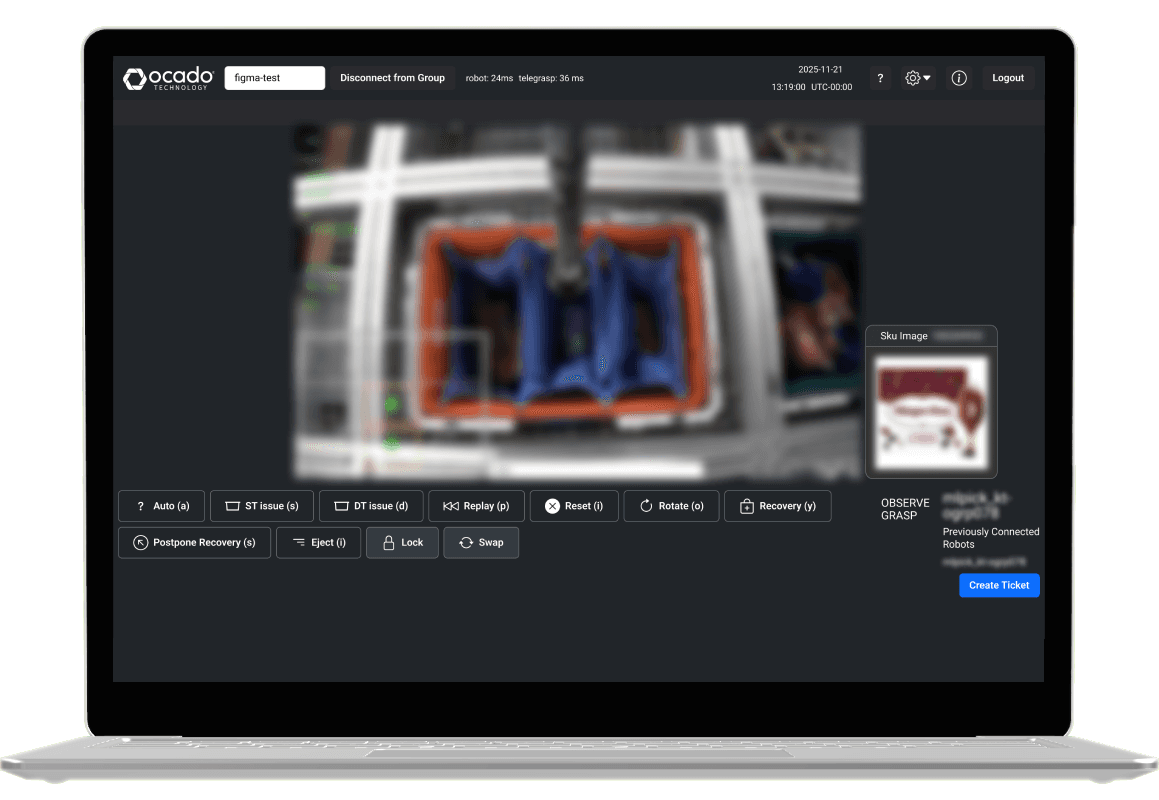
Telegrasp is a mission-critical operational platform that allows remote operators ("Pilots") to control robotic systems across Ocado and partner fulfilment centres. Used to manage live incidents and support automated fulfilment processes, the product sits at the intersection of robotics, logistics, and human decision-making.
As the UX Practitioner on the project, I led research and design activities for two high-impact workflows: escalation management and issue reporting for stock and delivery totes. My role focused on understanding user behaviour, identifying operational pain points, and translating complex requirements into intuitive experiences that improved efficiency and reduced friction for operators.
My Contributions
Created comprehensive design documentation to streamline collaboration between Product and Engineering.
Built and maintained scalable design master files for long-term product growth.
Conducted multiple rounds of user research to validate problems and guide design decisions.
Delivered two workflow improvements that reduced escalation times by ~20 seconds per task.
Role
UX Designer, UX Researcher
Platform
Internal tooling | B2B
Team
2 PMs | 8 Engineers
Duration
3 Months
The Problem
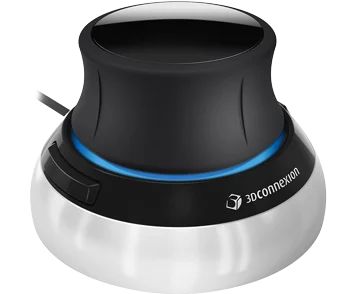
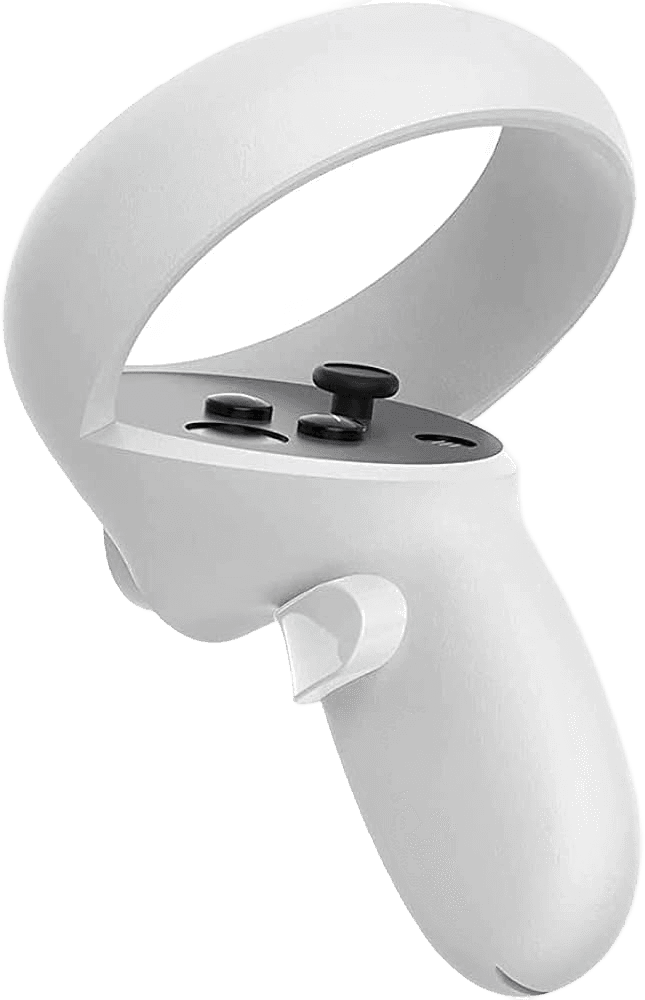
Telegrasp poised a unique problem when it came to adding more features as the product itself has the use using a unique peripheral such as a Spacemouse, VR controller or joystick. Users (~90%) typically have one hand on their keyboard and the other on their control peripheral of choice - making Telegrasp a very hotkey heavy application, where users would only use their keyboard for button presses assigned to quick-actions for the arm to perform. Therefore any designs would have to be [tab] navigable and shortcut friendly.
The two tickets which I was tasked to assist with were handling escalations and flagging totes with each having their own PM and dev teams heading them.
Handle Escalations
Allow users to push problematic escalations through the app, saving them from filling out external slack workflows and Jira tickets. Allowing problems to be reported and solved faster.
Flagging Totes
Give pilots the ability to report delivery or stock totes as problematic, to have they automatically sent to the inventory management system, saving time on creation of tickets.
A further challenge was the lack of an established design foundation for the product. Telegrasp had no existing Figma files and was not aligned with Ocado's B2B design system, instead relying on Bootstrap 5 for its interface patterns. This meant there was no central source of truth for design decisions, making collaboration and future iteration more difficult. Alongside delivering the immediate feature work, I saw an opportunity to create a scalable design foundation from the ground up, establishing reusable assets and documentation that could support the long-term evolution of the product.
Approach
Building Foundations
I believe that having no single source of truth for design is a quick way to ensure error in communication and design down the road. Therefore my first task for myself was setting up and maintain 1:1 masterfiles with what was currently live, no matter how much I disagreed with current design decisions. This would enable me to build trust with product and dev, while making the functional changes easy to apply and ideate within the constraints of bootstrap 5. In practice this looked like;
Gaining access to SIT environments, testing and becoming familiar the current application and attempting to pilot some testing arms.
Building a bespoke design system using bootstrap 5 & the live product as a baseline to allow for seamless designing and implementation
Creating masterfiles, containing all screens, flows and additional components within Figma.
Initial Discovery
Given that I was new to the product, my first action would be to understand the users and their needs. To do this I created two separate pieces of foundational user research top understand how the current users work and their pattern behaviors when using Telegrasp for their work. What I found was that,
Shortcuts
90% of users are often using shortcuts for common controls.
Current Workflow
Users were used to the current design and had incorporated it into how they work
Escalation
They found the process of going out of the application to file reports cumbersome
Ways of Working
With the design foundations in place, my next priority was establishing clear ways of working between Product, Engineering, and UX. As the sole designer on the project, I wanted to ensure design decisions, requirements, and progress were visible and easy to follow for everyone involved. Rather than treating design as a separate function, I embedded myself within existing team processes, regularly discussing solutions with the engineers and product managers to validate ideas early and avoid unnecessary rework later.
To support this, I introduced a consistent structure for documenting research, design explorations, feature requirements, and handover assets within the Figma file itself. This gave the team a shared space to collaborate, review decisions, and understand the rationale behind proposed changes. The result was a more efficient design process, faster feedback loops, and greater confidence that we were solving the right problems before moving into development.
Research
With the foundations and ways of working established, I moved into validating solutions with the people who would be using them day-to-day. For both the escalation/fallback and tote flagging features, I built detailed, interactive Figma prototypes that closely mirrored the live experience. This allowed users to engage with realistic workflows and provide meaningful feedback before any development effort was invested. The sessions not only helped uncover usability issues and edge cases, but also built trust with the user base, with one Pilot commenting, "Thank you so much for seeking our thoughts." This reinforced the importance of involving users early and often, particularly in a product supporting operationally critical tasks.
For the escalation workflow, a key design challenge emerged around balancing speed and accuracy. Through usability testing, I explored multiple approaches ranging from highly streamlined flows to more guided experiences with additional validation steps. While the faster option reduced interaction time, users and stakeholders ultimately favoured the more accurate design. Escalations occurred relatively infrequently—approximately once every 100 tasks—meaning the time savings offered by the streamlined flow were outweighed by the potential cost of a misreported issue. Given that an incorrect escalation could create significantly larger operational problems further down the line, we chose to optimise for confidence and accuracy over raw speed. This decision was backed by user feedback and real-world context rather than assumptions, helping ensure the final solution supported both efficient and reliable decision-making.
Usability Testing Results
After sending out the usability test to the relevant groups of users, the information and preferences gained gave me useful guidance on where to take the design.
Handling Escalations
'Don't overload us'
70%~ of participants preferred a longer error selection process which didn't overload them with too much information.
'Huge improvement'
Users unanimously agreed that they would prefer this workflow for escalating issues. Which is always good confirmation!
Flagging Totes
Captains preferred one button over two
Our secondary group of users; captains, who were managers to the pilots preferred the one button solution - citing it's accuracy.
Pilots preferred two buttons over one
However, users ultimately preferred using two buttons over one despite my initial reasoning. It was the quickest flow completed on average at 20 seconds (compared to 34s) and yielded the least misclicks from users at 10%.
Both of these usability tests gave myself and the team clear solutions and supporting evidence to move forward with relevent designs.
You can access the full research results below, please contact me for the password.
Protected link - User research results
Results